
Built around the teacher's real workflow
We map what teachers actually need to prepare, create, review, adapt, share, and assess. The product is then shaped around those tasks instead of forcing educators through unnecessary steps.
Home · Services · Teacher Tools Development
SERVICE
Help teachers plan, create & teach better
Custom teacher tools for schools, EdTech companies, publishers, tutoring businesses, and education providers — built for lesson planning, resource creation, assessments, classroom workflows, grading, reporting, and AI-assisted teaching.
TEACHER PRODUCTIVITY TECHNOLOGY
We design teacher platforms around preparation, creation, assessment, editing, sharing, and classroom delivery — keeping the workflow fast while leaving the educator in control.

01
Plan
Lessons · objectives · sequences
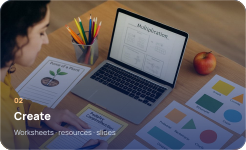
02
Create
Worksheets · resources · slides

03
Assess
Quizzes · rubrics · reports

04
Adapt
Edit · differentiate · reuse
Teacher stays in control AI can assist the workflow without replacing teacher judgement.
THE BASICS
Teacher tools development is the process of building digital products that help educators plan lessons, create classroom resources, prepare assessments, manage teaching tasks, review learner work, and make day-to-day teaching more efficient.
A well-designed teacher platform should reduce repetitive work without taking control away from the educator. The technology supports the workflow, while the teacher remains responsible for the teaching decisions.
We map what teachers actually need to prepare, create, review, adapt, share, and assess. The product is then shaped around those tasks instead of forcing educators through unnecessary steps.
WHAT WE BUILD

Curriculum-aligned lesson plans, objectives, teaching sequences, differentiation, timings, resources, and reusable planning workflows.
Learn more →
Create worksheets, reading activities, classroom tasks, homework, answer keys, print-ready resources, and reusable teacher materials.
Learn more →
Question banks, quizzes, tests, rubrics, mark schemes, exam-style tasks, grading workflows, and assessment reporting.
Learn more →
Teaching slides, speaker notes, classroom activities, interactive resources, prompts, and content designed for live instruction.
Learn more →
Save, organise, search, duplicate, edit, favourite, share, and reuse lesson materials across subjects, classes, and teaching teams.
Learn more →Have a different teaching workflow? We can shape a custom product around your curriculum, staff, content model, approval process, and classroom needs.
Learn more →CORE FEATURES
Useful tools should save preparation time, keep content editable, and fit naturally into the way educators already plan, teach, assess, and review.

Structure content around curricula, standards, subjects, grades, topics, learning objectives, skills, or your own education framework.
Learn more →
Let teachers review, edit, regenerate, reorder, save, duplicate, and personalise generated or pre-built teaching materials before use.
Learn more →
Build quizzes, tests, question sets, mark schemes, rubrics, model answers, difficulty levels, and assessment formats for different teaching needs.
Learn more →
Give educators one place for recent work, saved resources, favourites, classes, templates, drafts, exports, and reusable teaching materials.
Learn more →
Support individual teachers, departments, school administrators, content reviewers, or multi-school organisations with suitable access controls.
Learn more →
Prepare resources for PDF, print, classroom display, download, or sharing with learning platforms and other approved school systems.
Learn more →GOING FURTHER

Support lesson planning, question generation, differentiation, summaries, feedback, resource creation, and other teacher-led AI workflows.
Learn more →
Adjust content by learner level, difficulty, reading demand, question type, vocabulary, support needs, or teacher-defined criteria.
Learn more →
Apply school logos, headers, teacher details, document styles, reusable templates, and organisation-level settings where required.
Learn more →
Track resource creation, account activity, school usage, quotas, subscriptions, adoption, and other operational metrics.
Learn more →
Support free trials, subscriptions, credits, generation allowances, school licences, entitlements, and secure payment workflows.
Learn more →
Connect LMS platforms, classroom tools, authentication, cloud storage, analytics, payments, email services, APIs, and other approved systems.
Learn more →TECHNOLOGY

Fast, responsive interfaces for teachers, content teams, school leaders, and administrators.
Learn more →
Authentication, business logic, permissions, usage controls, content workflows, and integrations.
Learn more →
Structured curricula, subjects, resources, templates, question banks, saved work, and user records.
Learn more →
Secure deployment, document storage, backups, monitoring, and infrastructure that can grow with usage.
Learn more →Teacher-controlled generation and automation for planning, resources, assessment, adaptation, and feedback.
Learn more →
Testing for roles, teacher workflows, content handling, responsive behaviour, integrations, performance, and common edge cases.
Learn more →HOW WE WORK
You bring the teaching problem or workflow. We shape the product, design it, build it, test the real teacher journeys, prepare your team, and take it live.
Process journey ready

We start with the real teaching workflow.
We learn who will use the tool, what teachers currently do, where time is lost, what content or curriculum is involved, and what the product should improve.
We shape the right teacher product.
We recommend the right workflows, features, roles, platform approach, AI use, integrations, and practical first-release scope for your teachers and organisation.
We turn the workflow into a product plan.
We map planning, resource creation, editing, assessment, saving, sharing, permissions, school settings, analytics, integrations, and the technical architecture behind them.
We make the teacher journey clear before build.
We design the main teaching workflows, keeping the experience fast, editable, familiar, and easy to use during real preparation and classroom work.
You approve the direction before full development.
You review the screens, workflows, feature scope, content structure, and teacher experience. We refine the agreed direction before full development begins.
Now we build the platform.
We build the teacher platform, backend, databases, content flows, AI-assisted tools, subscriptions, exports, school controls, and required third-party integrations.
We test the real teacher journeys.
We test core teacher workflows, roles, content outputs, exports, integrations, responsiveness, performance, permissions, and edge cases, then prepare your team to manage the product.
Your teacher product goes live.
After final approval, we deploy the product, complete handover, support rollout to teachers or schools, and can continue maintaining and improving the platform after launch.
WHY SKYEN SOLUTIONS

We design platforms around real educator workflows, including lesson planning, worksheet creation, assessment preparation, resource organization, and daily classroom tasks.
Our team understands how to build lesson planners, worksheet generators, quiz makers, question banks, templates, dashboards, and export-ready teaching materials.

We can add AI-assisted lesson planning, worksheet generation, quiz creation, topic summaries, and content suggestions that save teachers real preparation time.
Skyen Solutions builds and operates education products like Make My Lesson, giving our team hands-on experience with teacher-focused digital tools.
We support platform launch, teacher feedback review, analytics setup, performance improvements, workflow updates, and long-term product growth.
FAQ
Teacher tools are digital products that help educators plan lessons, create resources, prepare assessments, organise teaching materials, review learner work, manage classroom tasks, or improve other parts of the teaching workflow.
Bring us the teaching problem, workflow, or product idea. We can help shape the solution, design the teacher experience, build the technology, test it thoroughly, and take it live.
Start your project →Response within 4 business hours · info@skyensolutions.com